Compare · SiteOps vs ManageWP
A ManageWP alternative for the monitoring part, not the WordPress part.
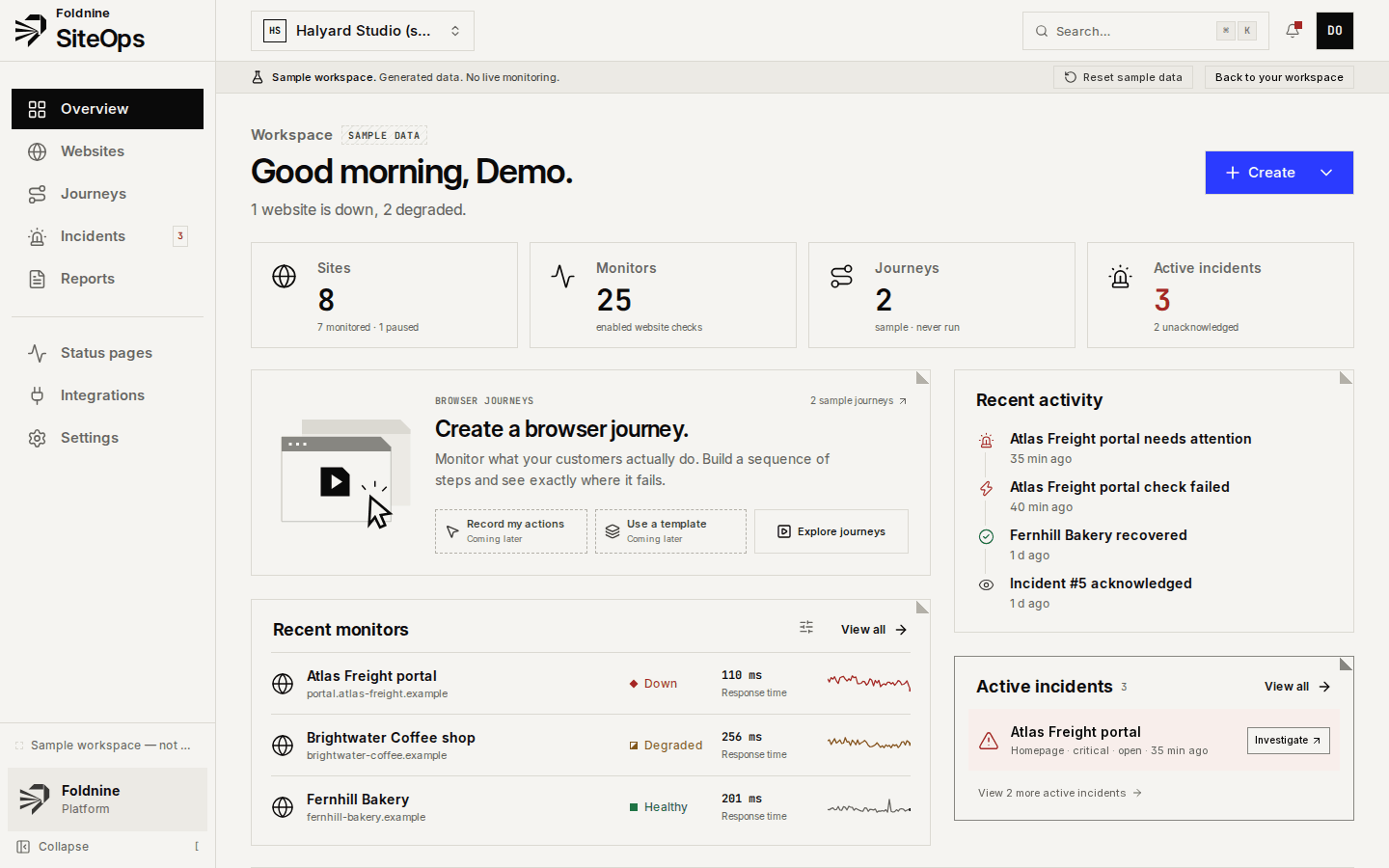
ManageWP manages WordPress sites: updates, backups, one-click login, and a $1-per-site uptime add-on. SiteOps does not touch WordPress at all; it watches any website from the outside. Most agencies that compare the two keep ManageWP for maintenance and need a better answer for monitoring.
The short answer
Which one fits you
Choose ManageWP if
- You need to update plugins and themes, take backups, or log in to many WordPress dashboards from one place. SiteOps does none of that.
- You want before-and-after screenshots around updates (Safe Updates, with the Backup add-on).
- Your sites are hosted at GoDaddy, where premium Backup, Uptime and Safe Updates are included.
Choose SiteOps if
- You monitor sites that are not all WordPress: Shopify, Webflow, static sites, custom apps and APIs.
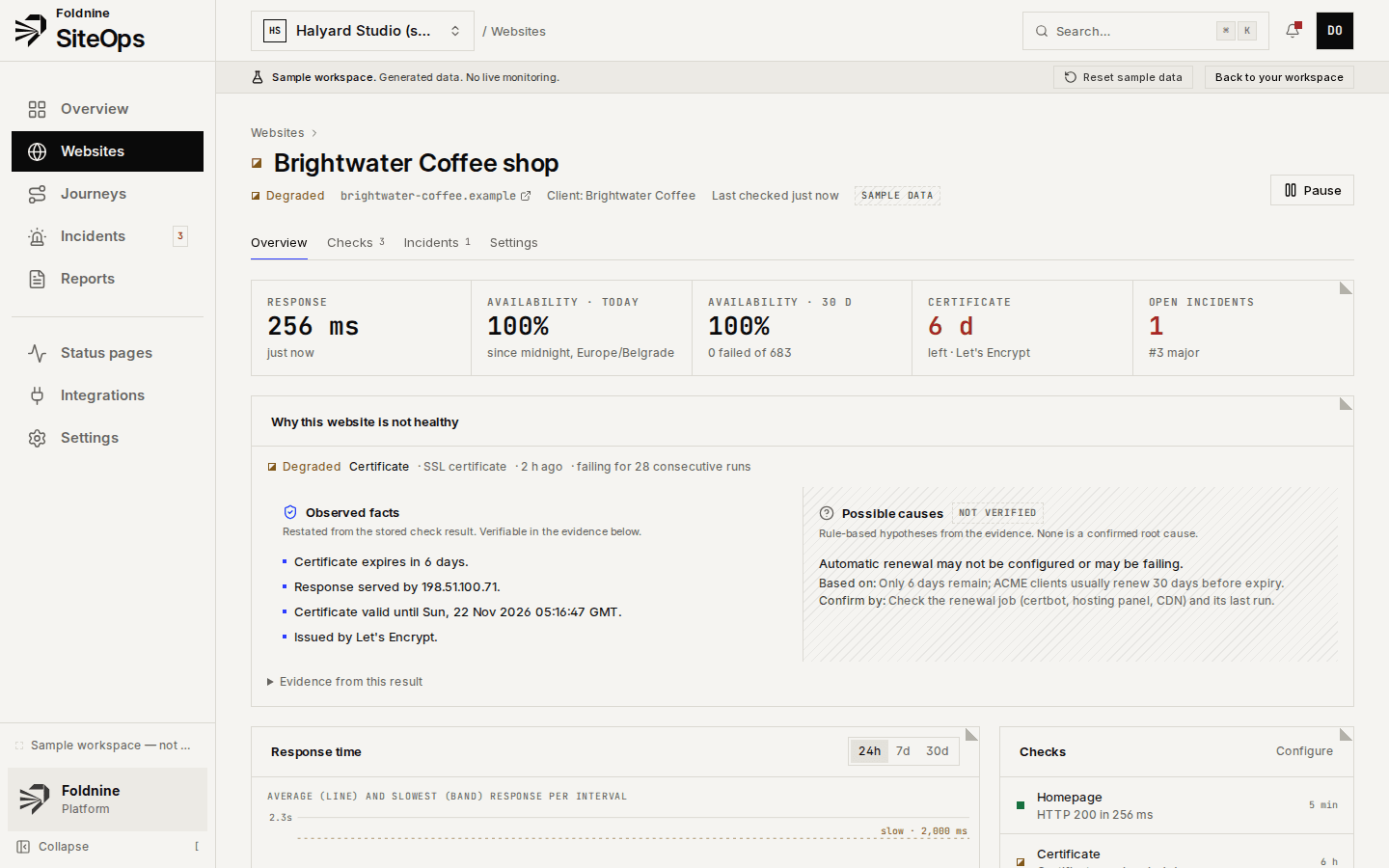
- You want SSL, DNS and API checks, incidents with evidence, and client status pages, which ManageWP does not offer.
- You want alerts in Telegram or a webhook, not only email, SMS or Slack.
Side by side
SiteOps and ManageWP, feature by feature
ManageWP's plans and features as published on its own site, read on 26 October 2026; prices in its currency. Check the pricing, uptime monitor and Safe Updates pages before deciding; they change.
| Topic | SiteOps | ManageWP | Ahead |
|---|---|---|---|
| What it is | Monitoring from the outside for any website; installs nothing on the site | WordPress management through a plugin on each site | Even |
| Price | Free (5 sites); Studio €29/mo (30 sites); Agency €69/mo (100 sites). Priced per website, not per check | Free core for unlimited sites; add-ons per site per month: Uptime $1, Link Monitor $1, Client Reports $1, White Label $1, Backups $2; bundles for 25+ sites, all-in-one $150/mo | Even |
| Uptime checks | 1 minute on Studio and Agency; 5 minutes on Free; HTTP status, timings and redirects | Uptime Monitor add-on, every 60 seconds | Even |
| SSL, DNS, API | Each a check of its own, with expiry warnings and assertions | Not offered as monitors | SiteOps |
| Broken links | Same-site links on a page | Link Monitor add-on, $1 per site | Even |
| Browser checks | Browser journeys (open, click, fill, assert, screenshot) on Agency, every 15 minutes at most | Not offered | SiteOps |
| Updates, backups, login | Not offered | Plugin and theme updates, backups, 1-click login, Safe Updates with screenshots | ManageWP |
| Alerts | Email, Telegram, Slack and signed webhooks. No SMS or phone calls | Email, SMS and Slack for the uptime add-on | SiteOps |
| Status pages | Client status pages on Studio and up; white-label on Agency. Hosted on siteops.foldnine.dev, no custom domain yet | Not offered | SiteOps |
| Client reports | Monthly client report by email, per client, on the day you choose; white-label on Agency | Client reports free; advanced and white-label reports as $1-per-site add-ons; include updates and backups done | ManageWP |
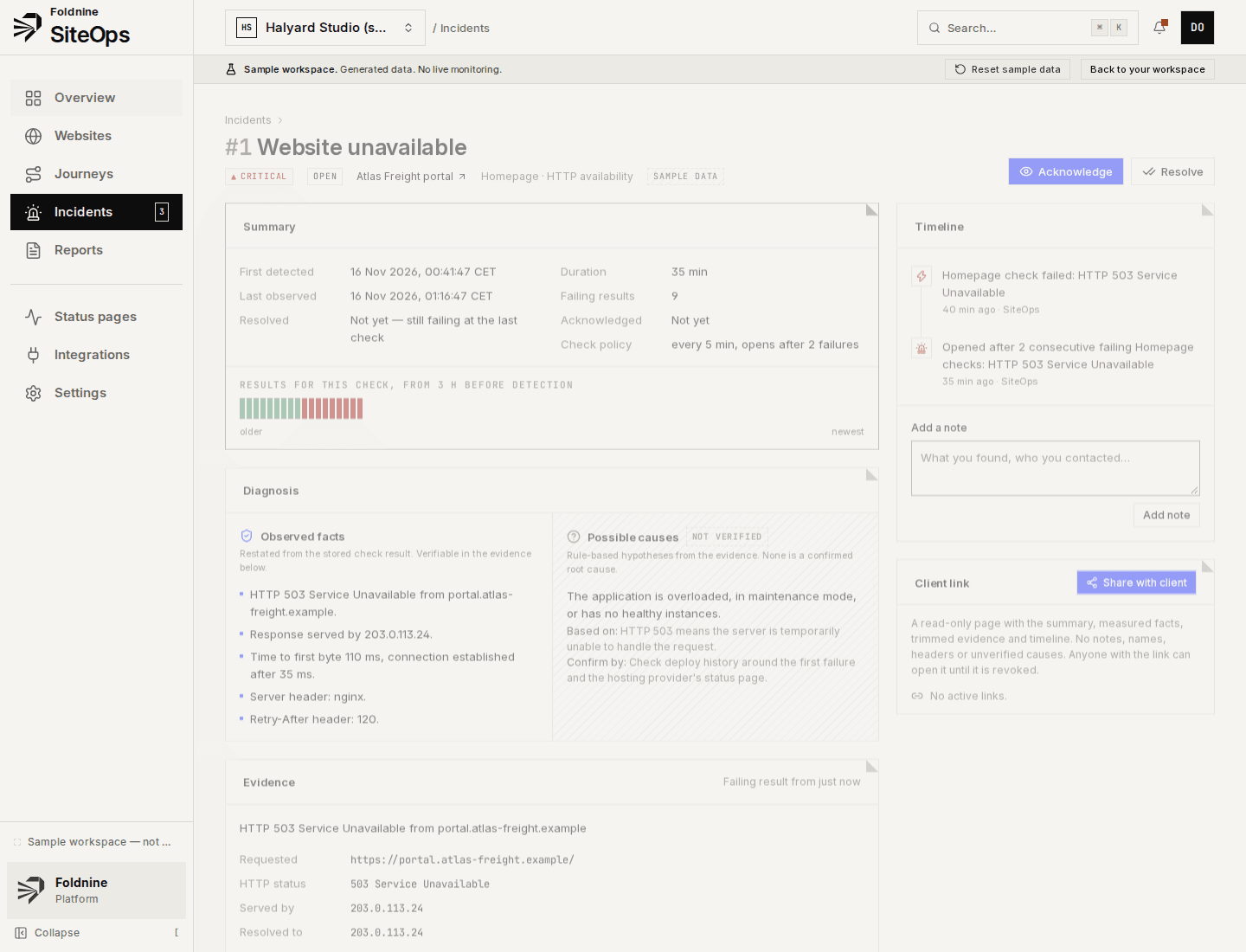
| Incident detail | Incidents keep the evidence (status, headers, timings, certificate, DNS) and list facts apart from unverified causes; a read-only link you can send the client | Up/down notification | SiteOps |
When something fails
An incident you can forward without rewriting.
01A check fails twice
One bad result is noise. Two consecutive failures of the same check open an incident — threshold adjustable per check.
02Evidence is kept
HTTP status, response headers, body excerpt, resolved and serving address, TLS certificate, and where the time went.
03Facts apart from guesses
What was measured is listed as fact. Likely causes are labelled as unverified, each with what it rests on and how to confirm it.
04Recovery closes it
The first passing result resolves the incident and records how long it lasted. Notes and acknowledgements stay on the timeline.
Said plainly
Where SiteOps is weaker than ManageWP
Better to read it here than find out after you have moved your client sites.
- SiteOps cannot update, back up or log in to WordPress. If that is the job, it is not a replacement.
- ManageWP's client reports can list the updates and backups you did; SiteOps reports only what it measured.
- ManageWP's free core covers unlimited sites; SiteOps' free plan covers 5.
For agencies
Every client, one place to look.
01 / 03
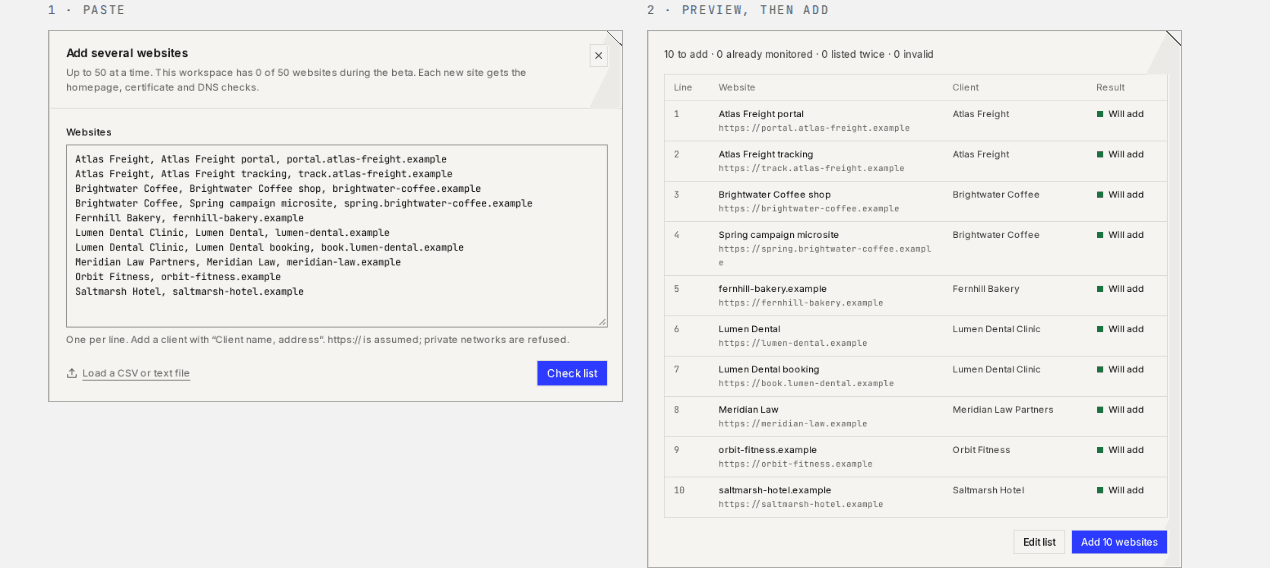
Add every client at once
Paste up to 50 addresses, or a CSV with client names. You see what will be added before anything is.
02 / 03
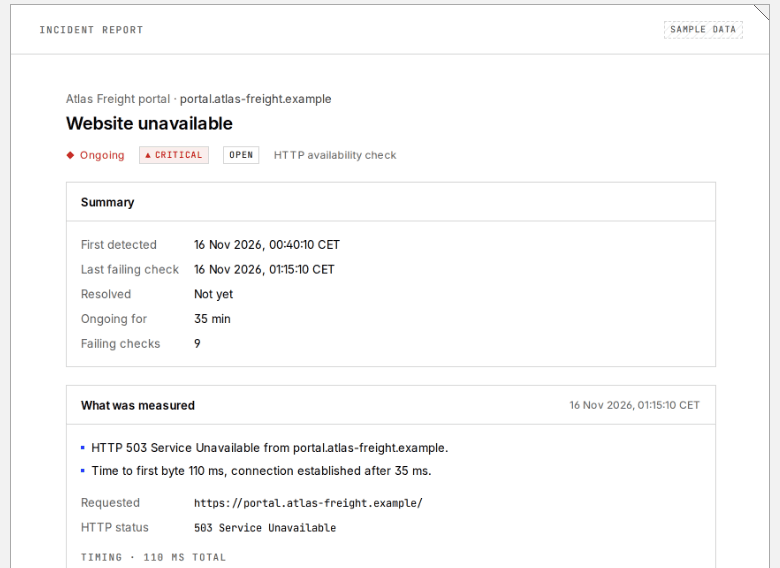
A link you can send the client
A read-only page for one incident: what was measured, when, and for how long. No internals, revocable at any time.
03 / 03
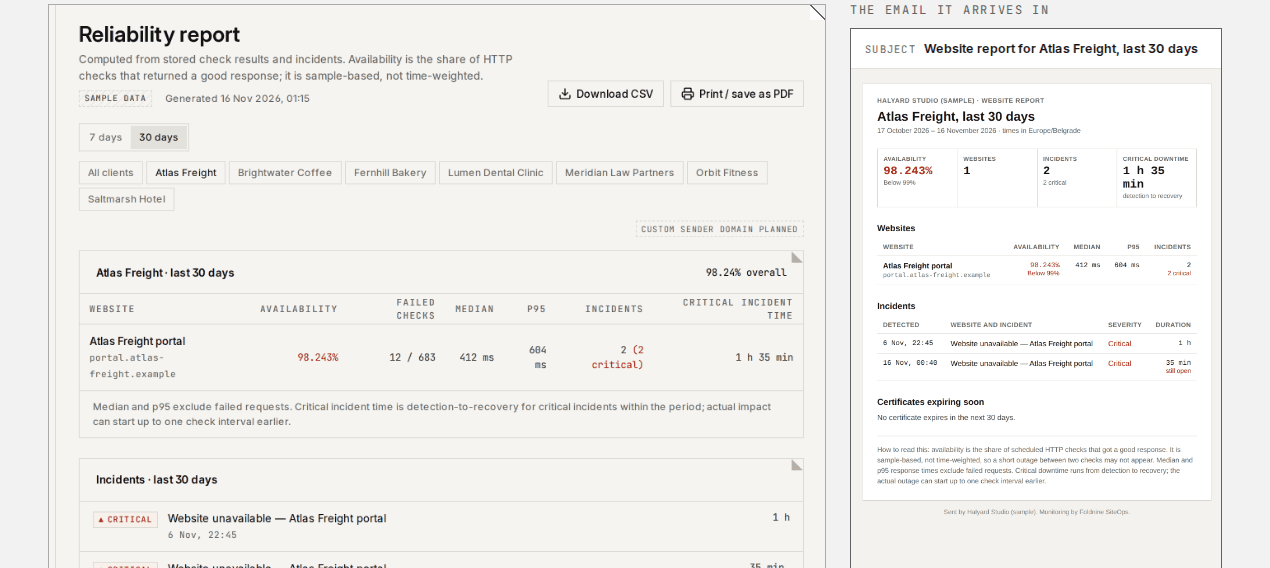
Monthly report, sent for you
Availability, response times, incidents and expiring certificates per client, emailed on the day you choose under your agency's name.
Screens from the built-in sample workspace: a fictional agency on reserved .example domains.
Questions
Frequently asked
- Can SiteOps replace ManageWP?
- Only the monitoring part. SiteOps does not update plugins, take backups or log in to WordPress. Agencies that use both keep ManageWP for maintenance and use SiteOps for uptime, certificates, DNS, broken links, incidents and status pages.
- Does SiteOps need a WordPress plugin?
- No. It checks sites from the outside over HTTPS, the way a visitor would, so nothing is installed and it works the same for WordPress, Shopify, Webflow or a custom app.
- Is ManageWP's uptime monitor cheaper?
- Per site, often yes: $1 per site a month, or $25 a month for up to 100 sites. That covers an up/down check every minute with email, SMS or Slack alerts. SiteOps Agency is €69 a month for 100 sites and adds SSL, DNS, API and link checks, browser journeys, status pages and white-label reports.
- Can I show monitoring in my monthly client report?
- Yes. SiteOps emails a monthly report per client with availability, response times, incidents and certificates that expire soon, under your agency's name on the Agency plan.