For WordPress agencies
Monitoring for the WordPress sites you maintain, with something to show the client each month.
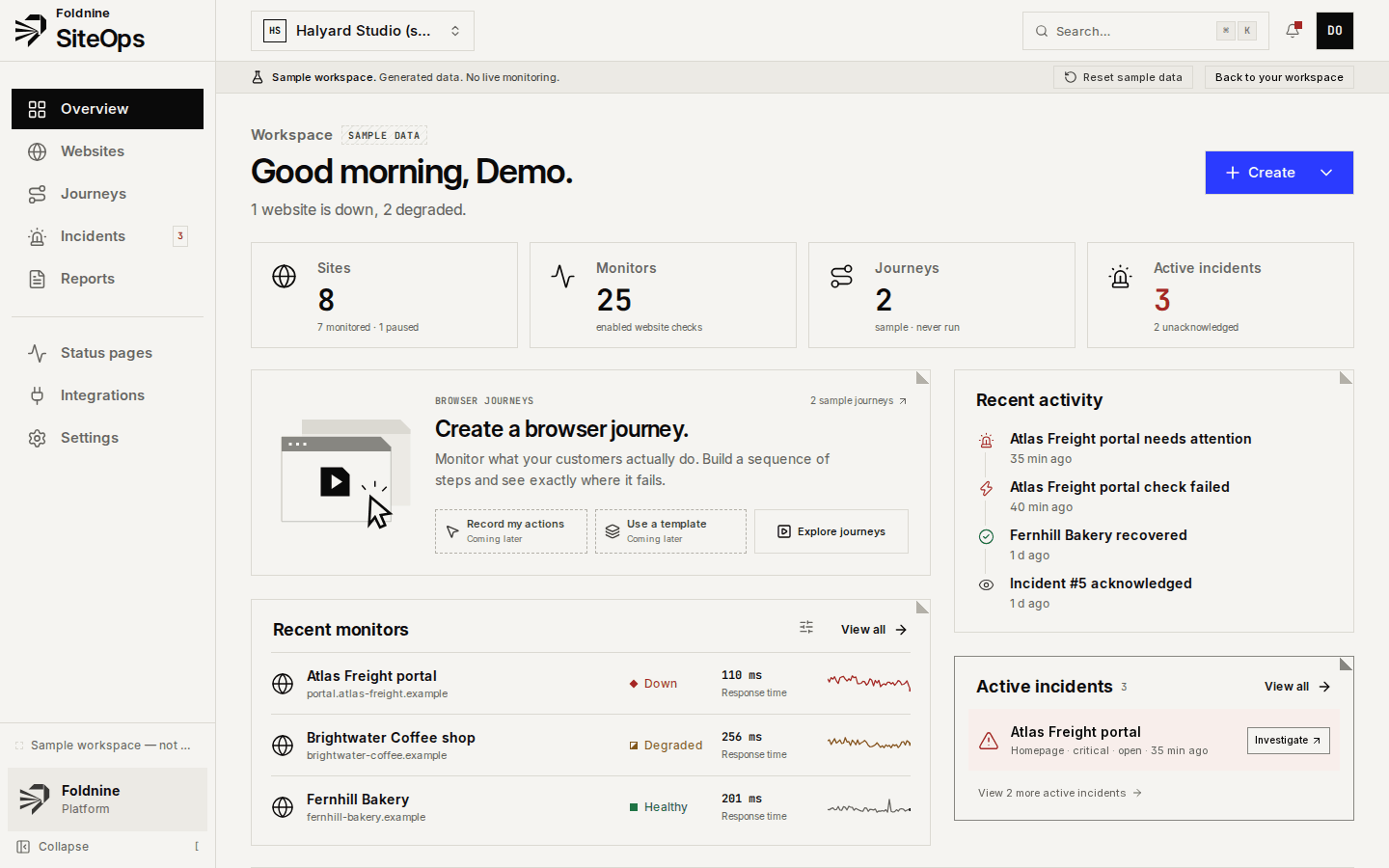
A plugin update takes the homepage down, a certificate renewal fails, a client moves DNS without telling you. SiteOps checks every client site from the outside, opens an incident when a check fails twice, and keeps the evidence so your message to the client says what happened.
What it covers
What a maintenance retainer needs from monitoring
Agencies sell maintenance as peace of mind. These are the parts of that promise SiteOps covers.
Find out before the client does
HTTP checks every minute on paid plans. A failure is re-checked from the Cloudflare edge before an incident opens, so one bad route does not wake you.
Catch what a plugin update broke
A white screen or a 500 after an update fails the HTTP check. An API check with a body assertion catches a page that loads but is missing what it should say.
Certificates and DNS
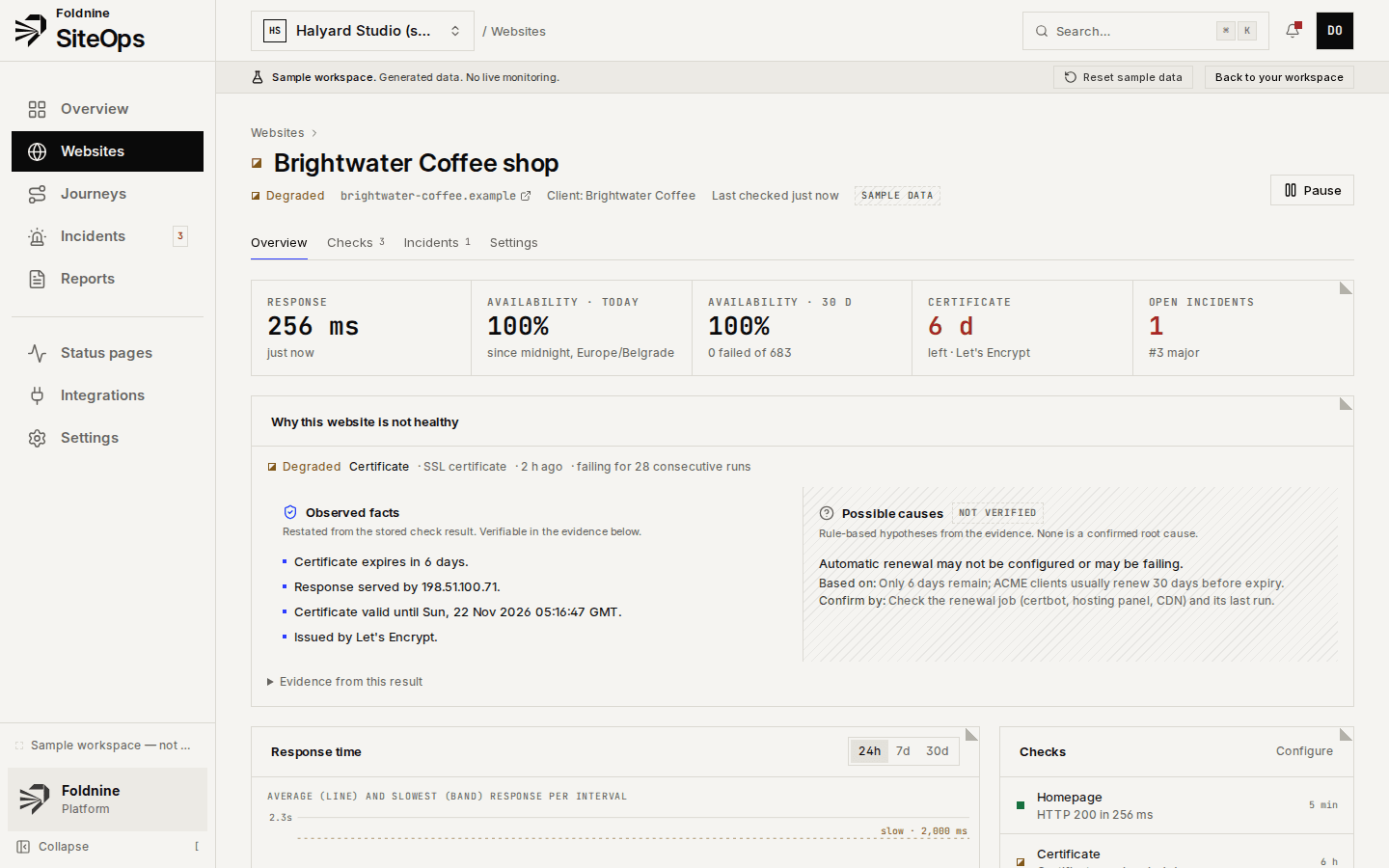
Days to certificate expiry with a warning window, chain and hostname checks, and DNS answers watched for NXDOMAIN or unexpected addresses after a client changes registrar.
Broken links
Same-site links on the pages you choose, requested politely and listed when they fail: permalinks changed, pages deleted, media moved.
Forms and checkouts
On the Agency plan, browser journeys open a page, fill the contact form or add to cart with test data, and assert what comes back.
The monthly report
Availability, response times, incidents and certificates that expire soon, per client, emailed on the day you choose under your agency's name.
How it works
From sign-up to the first alert
01Add every client site at once
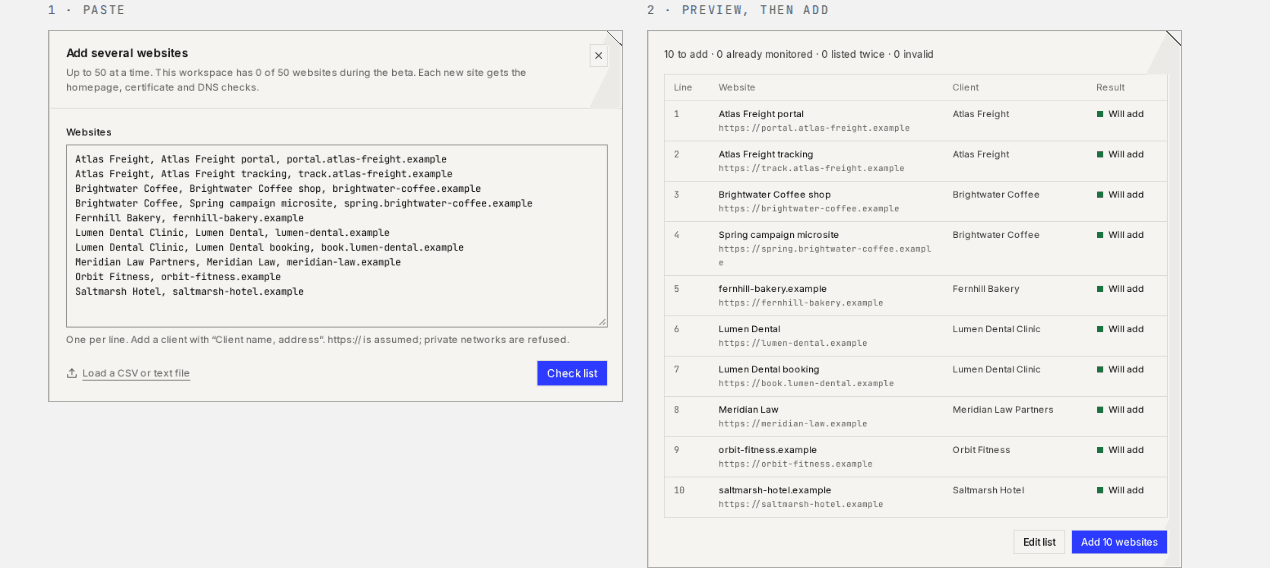
Paste up to 50 addresses, or a CSV of client name and URL. HTTP, SSL and DNS checks are created for each.
02Send alerts where you look
Email, Telegram, Slack or a signed webhook, with a minimum severity per channel.
03Give each client a page
A status page per client, and a read-only link to any incident that shows what was measured and for how long.
04Let the report go out
Schedule the monthly email per client once; it is sent for you on the day you pick.
When something fails
An incident you can forward without rewriting.
01A check fails twice
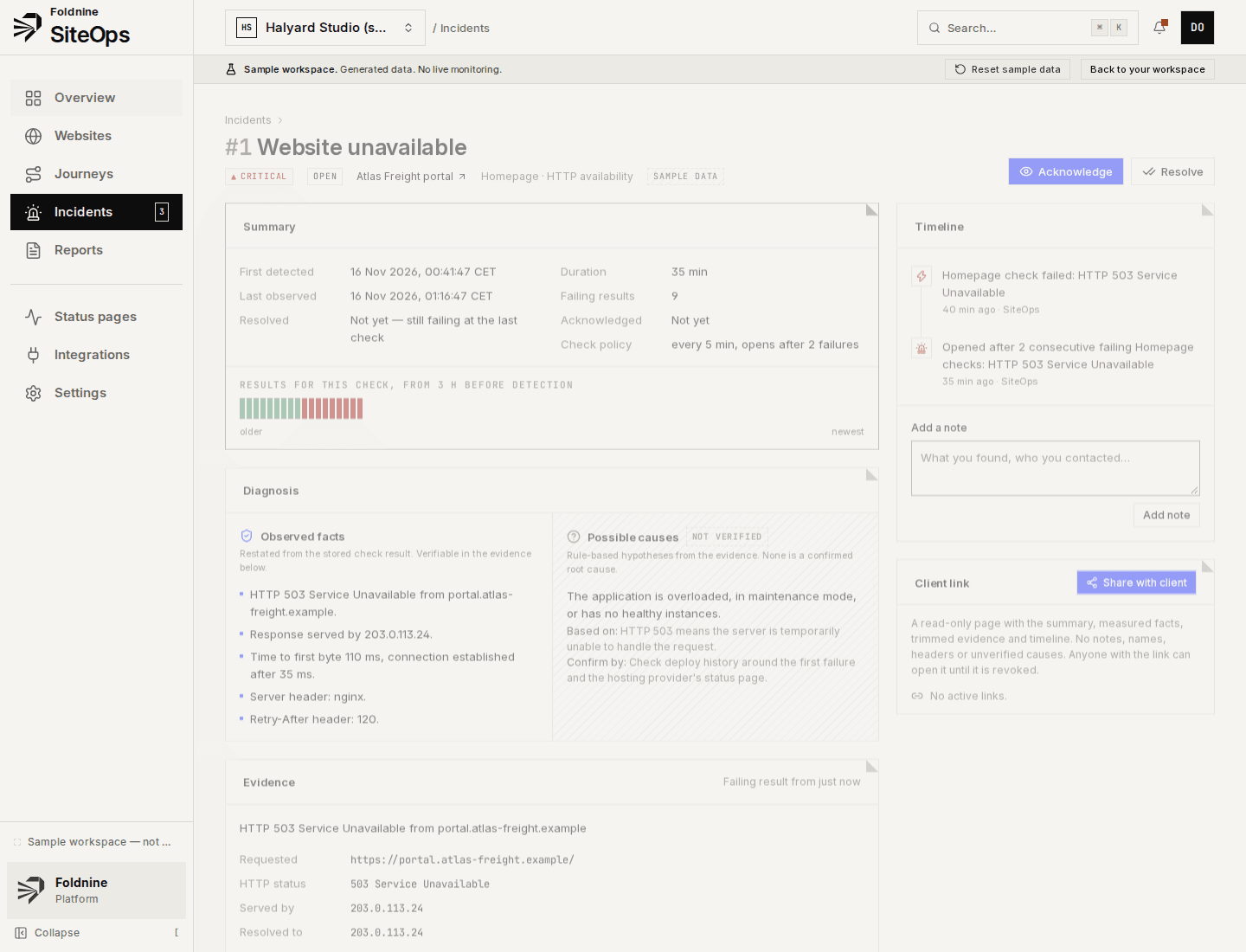
One bad result is noise. Two consecutive failures of the same check open an incident — threshold adjustable per check.
02Evidence is kept
HTTP status, response headers, body excerpt, resolved and serving address, TLS certificate, and where the time went.
03Facts apart from guesses
What was measured is listed as fact. Likely causes are labelled as unverified, each with what it rests on and how to confirm it.
04Recovery closes it
The first passing result resolves the incident and records how long it lasted. Notes and acknowledgements stay on the timeline.
Which plan
Studio for up to 30 client sites, Agency for 100
Studio is €29 a month for 30 sites with one-minute checks, client reports and status pages. Agency is €69 a month for 100 sites and adds white-label, browser journeys and unlimited team members. Five sites are free, without a card.
What it does not do
- SiteOps does not update plugins, take backups or log in to WP admin. Keep your management tool (ManageWP, MainWP, WP Umbrella) for that.
- No WordPress plugin and no access to the server: it sees what a visitor sees. PHP errors in the log are not read.
- No visual comparison of pages yet, and no vulnerability scanning of plugins.
- Checks run from one home location; failures are confirmed from the Cloudflare edge, but there is no continuous multi-region monitoring.
For agencies
Every client, one place to look.
01 / 03
Add every client at once
Paste up to 50 addresses, or a CSV with client names. You see what will be added before anything is.
02 / 03
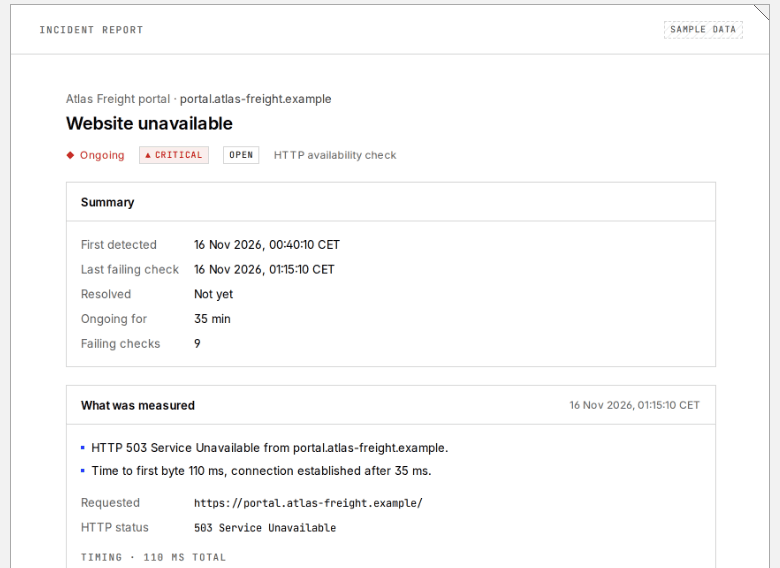
A link you can send the client
A read-only page for one incident: what was measured, when, and for how long. No internals, revocable at any time.
03 / 03
Monthly report, sent for you
Availability, response times, incidents and expiring certificates per client, emailed on the day you choose under your agency's name.
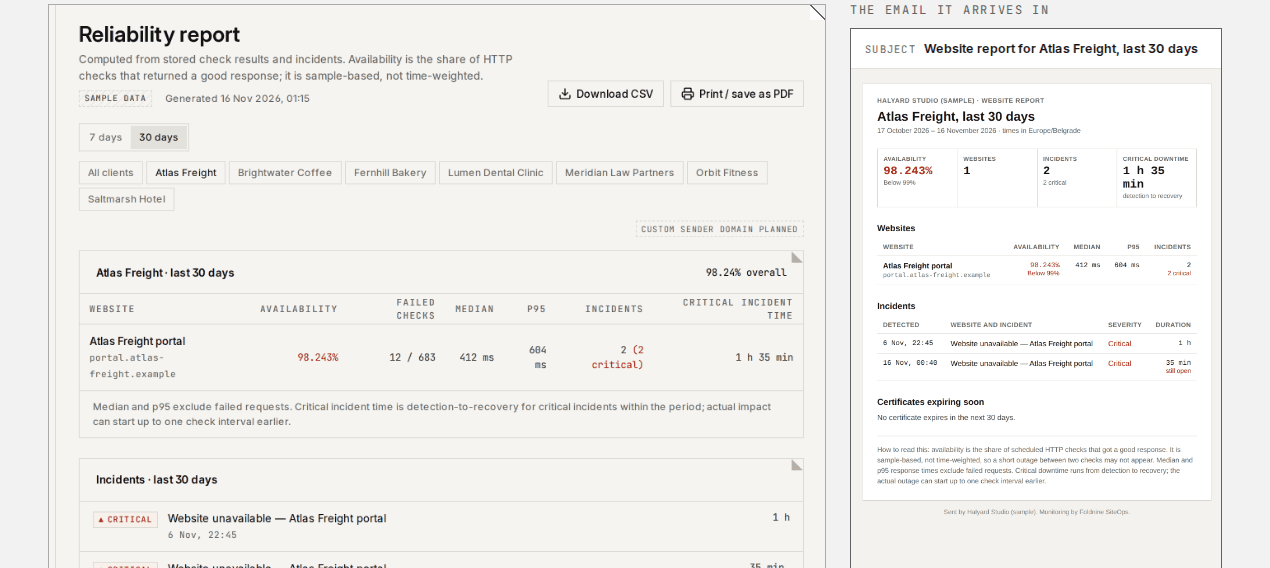
Screens from the built-in sample workspace: a fictional agency on reserved .example domains.
Questions
Frequently asked
- Do I need to install a plugin on client sites?
- No. SiteOps checks each site from the outside over HTTPS, like a visitor. Nothing is installed, so a broken plugin cannot take the monitoring down with it.
- Will it notice when a plugin update breaks a site?
- When the break shows from outside, yes: an error status, a timeout, a redirect loop, or (with an API check and a body assertion) a page that loads without the text it should have. It will not see a broken admin screen or a PHP warning that does not change the page.
- Can clients see the monitoring?
- Yes, if you want them to. Each client can have a status page, you can send a read-only link to one incident, and the monthly report is emailed to up to 10 recipients per schedule. On the Agency plan all three carry your logo and name.
- Does SiteOps replace ManageWP or MainWP?
- No. Those manage WordPress: updates, backups, logins. SiteOps monitors any website from the outside and documents incidents. Many agencies need both.
- How much does it cost for 40 client sites?
- Agency, at €69 a month or €690 a year, covers up to 100 sites. The founding offer is Agency at €345 a year for the first 25 agencies, until 30 November 2026.