For freelance web developers
Know when a client site breaks, and send them a link instead of an apology.
You built the site, so the client calls you when it is down, often before you know. SiteOps watches the sites you look after, tells you first, and gives you a page you can send the client that says what failed, when, and for how long.
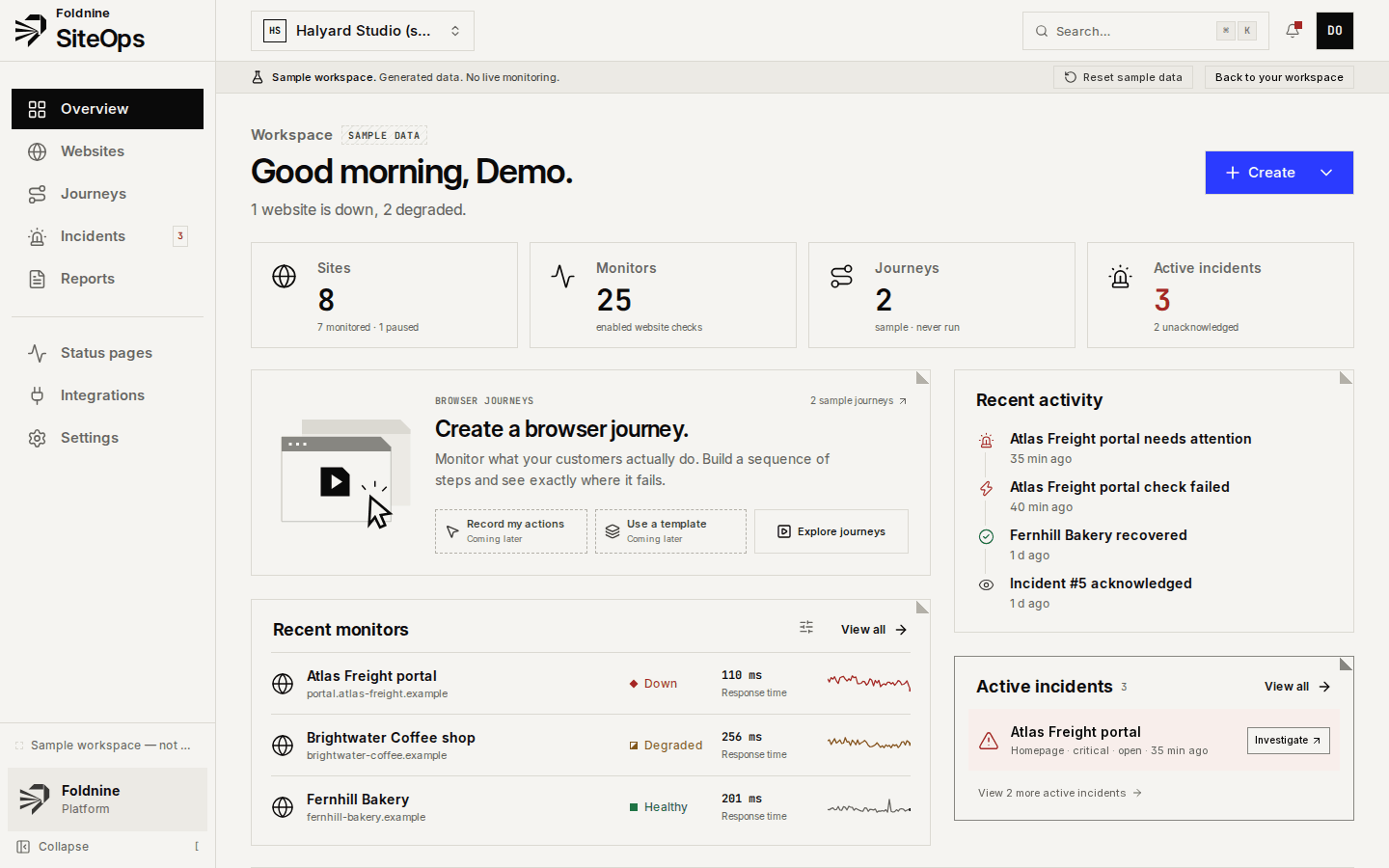
What it covers
What a freelancer gets
Enough monitoring to stay ahead of the client, without a dashboard to babysit.
Free for five client sites
HTTP, SSL, DNS, API and broken-link checks every 5 minutes, email alerts and client incident links, with no card and no time limit.
Alerts in Telegram or Slack
On Studio, alerts also go to Telegram, Slack or a webhook, so you hear about it on your phone, not in an inbox you check twice a day.
Evidence, not a red dot
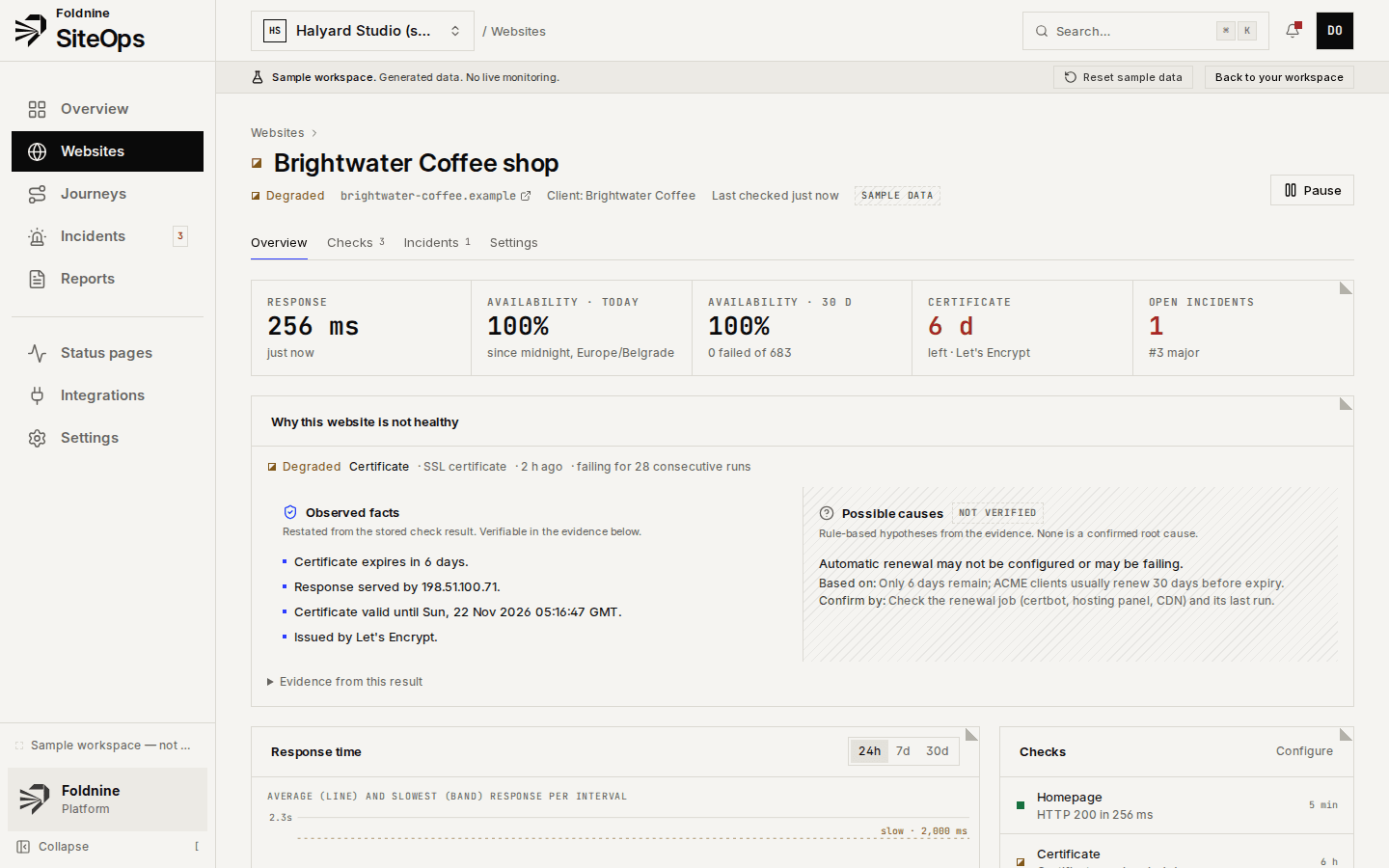
Each incident keeps the HTTP status, headers, timings, certificate and DNS answers, and lists likely causes as unverified, with how to confirm each one.
A link for the client
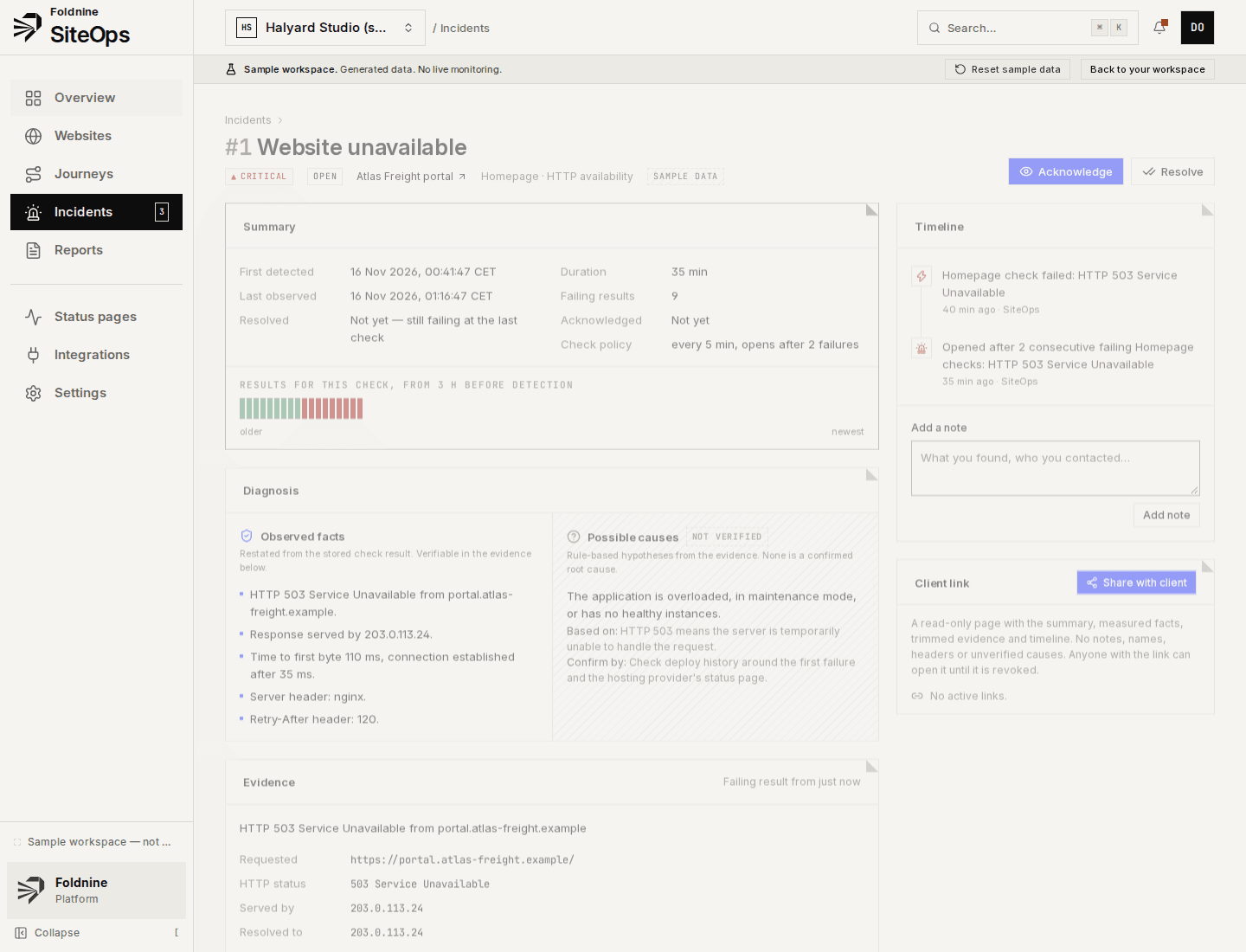
A read-only page for one incident: what was measured, when, and for how long. No internals. Revoke it when you like.
Certificates before they expire
Days to expiry on every site, with a warning before the client's visitors see a browser error.
Free check, no account
Not ready to sign up? Check one site's SSL, DNS, speed and broken links in about ten seconds.
How it works
From sign-up to the first alert
01Sign up
An email and a password. Your workspace is empty and ready; there is a sample one to explore.
02Add your client sites
One at a time, or paste the list. Checks start seconds later.
03Pick where alerts go
Email by default; Telegram, Slack or webhook on Studio.
04Forward, don't rewrite
When something fails, send the client the incident link instead of writing an explanation from scratch.
When something fails
An incident you can forward without rewriting.
01A check fails twice
One bad result is noise. Two consecutive failures of the same check open an incident — threshold adjustable per check.
02Evidence is kept
HTTP status, response headers, body excerpt, resolved and serving address, TLS certificate, and where the time went.
03Facts apart from guesses
What was measured is listed as fact. Likely causes are labelled as unverified, each with what it rests on and how to confirm it.
04Recovery closes it
The first passing result resolves the incident and records how long it lasted. Notes and acknowledgements stay on the timeline.
Which plan
Free for 5 sites; Studio when you outgrow it
Free covers 5 websites with 5-minute checks and email alerts. Studio is €29 a month (or €290 a year) for 30 sites, one-minute checks, Telegram, Slack and webhook alerts, monthly client reports and status pages.
What it does not do
- No SMS or phone-call alerts.
- Nothing faster than one-minute checks, and 5 minutes on the free plan.
- No server, cron or heartbeat monitoring: SiteOps checks what is reachable over HTTP, TLS and DNS.
- Browser journeys and white-label are on the Agency plan, not Free or Studio.
For agencies
Every client, one place to look.
01 / 03
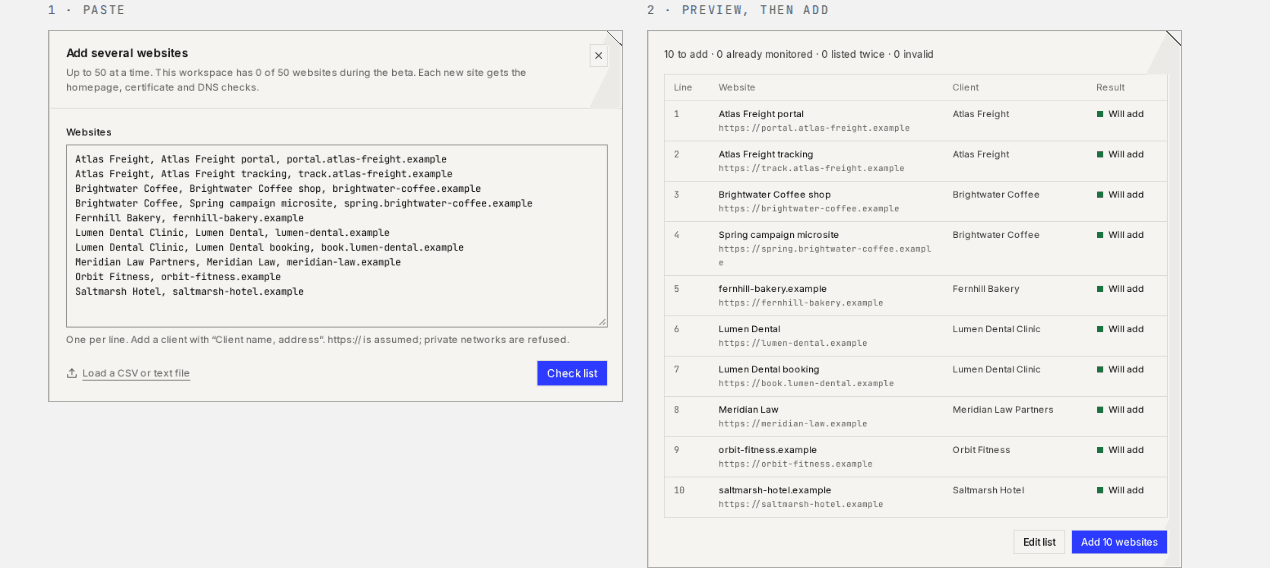
Add every client at once
Paste up to 50 addresses, or a CSV with client names. You see what will be added before anything is.
02 / 03
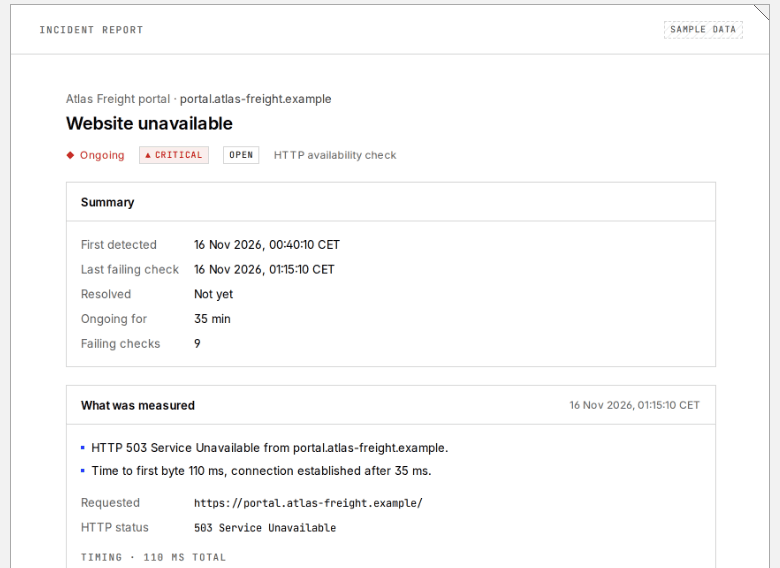
A link you can send the client
A read-only page for one incident: what was measured, when, and for how long. No internals, revocable at any time.
03 / 03
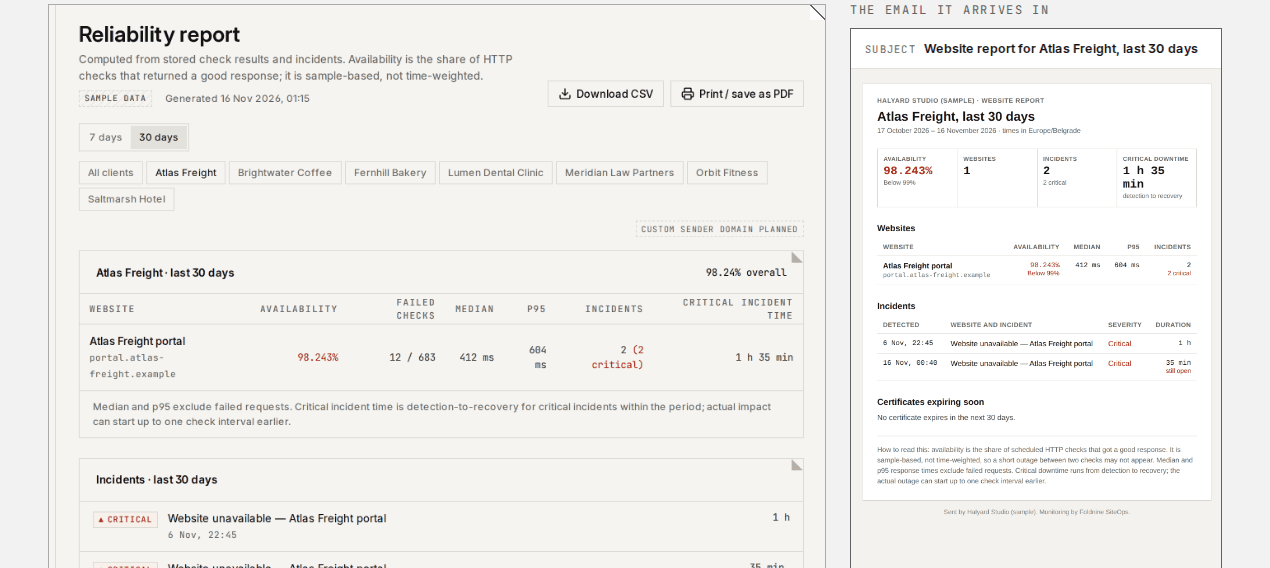
Monthly report, sent for you
Availability, response times, incidents and expiring certificates per client, emailed on the day you choose under your agency's name.
Screens from the built-in sample workspace: a fictional agency on reserved .example domains.
Questions
Frequently asked
- Is the free plan really free?
- Yes: 5 websites, every check type except browser journeys, email alerts and client incident links, with no card and no trial period. Each website gets HTTP, SSL and DNS checks; you can add API and broken-link checks to it.
- What counts as a website?
- One address you add, with all its checks. Checks are not counted separately, so a site with HTTP, SSL, DNS and broken-link checks is one website.
- Can I use it for my own projects too?
- Yes. A website is any public address you are allowed to monitor; it does not have to belong to a client.
- Where are the checks run from?
- From one server in Germany. When a check fails, it is re-checked from the Cloudflare edge before an incident opens, so a local network problem does not page you. It is not continuous monitoring from several regions.
- Can I send the client a report?
- On Studio and Agency, a monthly report per client is emailed on the day you choose, with availability, response times, incidents and certificates that expire soon.